Decor Life
Decor Life lets you turn messy, empty rooms into finished homes by choosing furniture and decor. It suits people who want a calm game with no timer in sight.
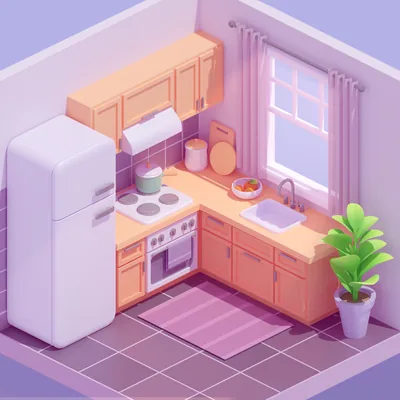
Facts, briefly
- Genre
- Simulation
- Made by
- SayGames
- Runs on
- Desktop, phone, tablet
- Input
- Click or tap to choose
- Session
- Open-ended rooms, no timer mentioned on Poki
- Account
- No account needed on Poki
- Ages
- General audience; no age rating shown on Poki
- Updated
- March 2026
The game in detail
Each space starts out as a mess. Boxes need unpacking, items need sorting, and the room needs organising before it looks like anywhere a person could live. The game describes this as unpacking, sorting and furnishing from scratch, so the early part of a room is tidy-up work and the later part is choosing what it will look like. Nothing is rushed here, and the order in which you do things is yours to choose.
Everything is done by clicking or tapping. You select a piece of furniture, decide where it sits, and try different styles until the room feels finished. Poki's description mentions many unique spaces and simple mechanics, and that matches the controls: there is no keyboard to learn and nothing to aim. Single clicks or taps are all it asks for, which keeps it easy to play on a phone with one thumb, and just as easy with a mouse.
Decoration is the point rather than an extra. You place decor, swap one style for another and see the room change. Nothing on the Poki page mentions a countdown or a penalty for slow choices, so you can take the time you like over a rug or a shelf. That also means there is no wrong answer: a room that looks good to you is a finished room, whatever its style.
The game is labelled cozy and idle on Poki, which tells you what kind of session to expect. It fits a break where you want to finish one small thing, close the tab and feel that something has been put in order. Short sessions work well here, because each room is a self-contained job with a clear before and after, and you can stop whenever a room is done.
Buttons and swipes
- Click / tap
- Choose a piece
- Click / tap on a spot
- Place it in the room
Playing it better
- Start with the biggest pieces in a room. A bed or sofa fixes the layout, and smaller items are easier to place once the large shapes have settled.
- Try a second style before you commit. Swapping the whole look of a room costs only a few taps and often shows which colours actually go together.
- Leave some empty floor. A room filled edge to edge reads as another mess, while a clear path through it looks finished. Clear floor also makes it easier to see what you have already placed.
- Use the sorting stage as a warm-up. It is the quiet part of each room, and moving items to their places first makes the decorating choices feel less crowded.
- On a phone, tap slowly near the edge of the screen. Furniture placed close to a border is easy to nudge by accident with a thumb.
Who it is for
Good for players who find action games tiring and prefer something slow with clear results. It works for short breaks and for longer evenings, and the single-click controls mean it is easy to hand to someone who rarely plays. If you like arranging a space more than beating a score, start here.
Worth a thought first
- The pace is slow by design; players who want challenge or competition will not find it.
- Poki shows ad breaks between sessions, which can interrupt a calm mood.
- Poki does not describe how progress is saved, so do not count on returning to an unfinished room.
Games on the next patch

World of Yarn
Another gentle game of tidy, planned choices, with puzzles instead of rooms.
Read about World of Yarn →

Opens on Poki, in a new tab
The game itself is not on this site. The link below opens its page on poki.com in a new tab, where Poki's own terms and ad breaks apply.
Open Decor Life on Poki → (opens in a new tab)Questions about Decor Life
Is there a timer?
No timer or score pressure is mentioned on Poki's page for this game; it is described as cozy and relaxed.
What do I do in a room?
Unpack, sort and organise it, then choose furniture and decor until it looks like a finished home.
Who made it?
SayGames, who also made My Perfect Hotel and Johnny Trigger according to Poki.