Build League
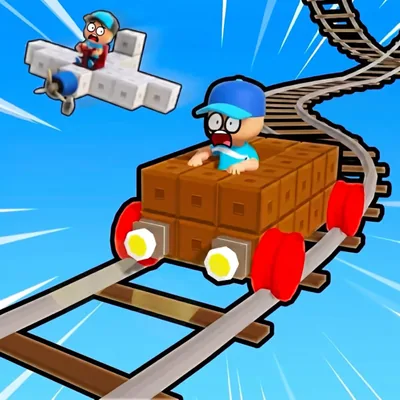
Build League is a 3D game about designing and upgrading your own plane and flying it across obstacle tracks. It suits players who like tinkering and improving a machine, alone or online.
Facts, briefly
- Genre
- Simulation
- Made by
- OnRush Studio
- Runs on
- Desktop, phone, tablet
- Input
- W A S D or arrows to move; mouse for camera
- Session
- Sessions with upgrades kept between flights
- Account
- No account needed on Poki
- Ages
- General audience; no age rating shown on Poki
- Updated
- October 2026
The game in detail
You begin by designing a plane. Poki describes the game as building and upgrading your own creation, and the short blurb also mentions cars and trains. Parts go together the way you choose, so the first job is less about piloting than about deciding what kind of machine you want to test. There is room to experiment, and an odd design can still teach you something about how the parts behave.
After building, you race your creation across obstacle tracks and maps. Each flight earns money, and the money buys better engines, fuel and parts. A plane that falls short of the finish is not wasted, because the next version can be built with what the last flight paid for. You fly a little farther each time. Over several flights, this loop of building, flying and buying turns small improvements into a longer, better run.
Movement uses W A S D or the arrow keys, and the mouse adjusts the camera. Other keys are shortcuts: F starts, T opens the shop, Q opens quests and G sends emotes. Knowing them saves clicks between flights, when you spend most of your time moving between the shop and the start. The shop and quest keys each open their screen with a single press.
You can play alone or online with other players, according to Poki. The game is listed under driving, building, multiplayer and 3D. It is the most open of these six: nothing tells you how to build, so the interesting part is seeing which of your changes actually helps. Poki lists other games by the same studio, including Venge.io, Sprint League, Tribals.io and Hide and Paint.
Buttons and swipes
- W A S D / arrow keys
- Move
- Mouse
- Adjust the camera
- F
- Start
- T
- Open the shop
- Q
- Open quests
- G
- Emotes
Playing it better
- Change one part at a time between flights. If you swap the engine, the fuel and the shape together, you will not know which one helped.
- Spend money on fuel early. A plane that can stay up longer reaches more of the track, and money per flight grows with distance.
- Learn the shortcut keys before you need them. Pressing T and F in the right order is faster than hunting for the buttons.
- Use the camera on tricky sections. A short mouse move shows the obstacle ahead before you reach it.
- Try a second design when one stalls. A different shape sometimes crosses a gap that more power cannot. A lighter or wider build is worth a test.
Who it is for
A fit for players who enjoy building and tuning more than a quick score. It rewards patience across several flights, and the upgrades give a clear sense of progress. It is also a way to try an online game without registering on Poki. Younger players may need help with the number of keys.
Worth a thought first
- It uses many keys and menus, which can feel busy on a small screen.
- Poki shows ad breaks between sessions, which interrupts the build-and-fly rhythm.
- Online play depends on other players being around, so the experience can vary.
Games on the next patch


Talking Tom Gold Run
Another game that unlocks new things as you keep playing.
Read about Talking Tom Gold Run →
Opens on Poki, in a new tab
The game itself is not on this site. The link below opens its page on poki.com in a new tab, where Poki's own terms and ad breaks apply.
Open Build League on Poki → (opens in a new tab)Questions about Build League
What can I build?
A plane, and cars and trains per the short blurb on Poki.
Can I play with others?
Yes. Poki lists single-player and online multiplayer.
What do the extra keys do?
F starts, T opens the shop, Q opens quests and G sends emotes.